 Link ActionsFree Chrome extension
Copy any part of a URL in one click.
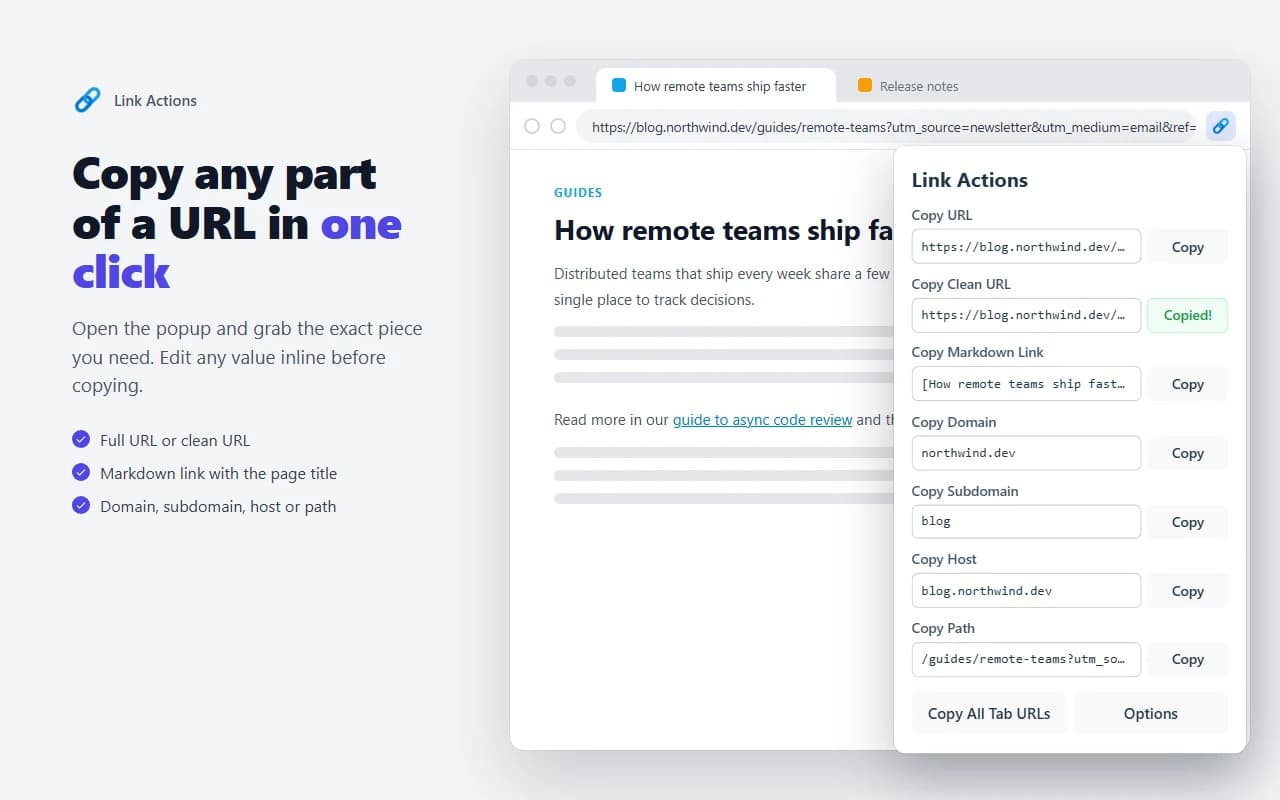
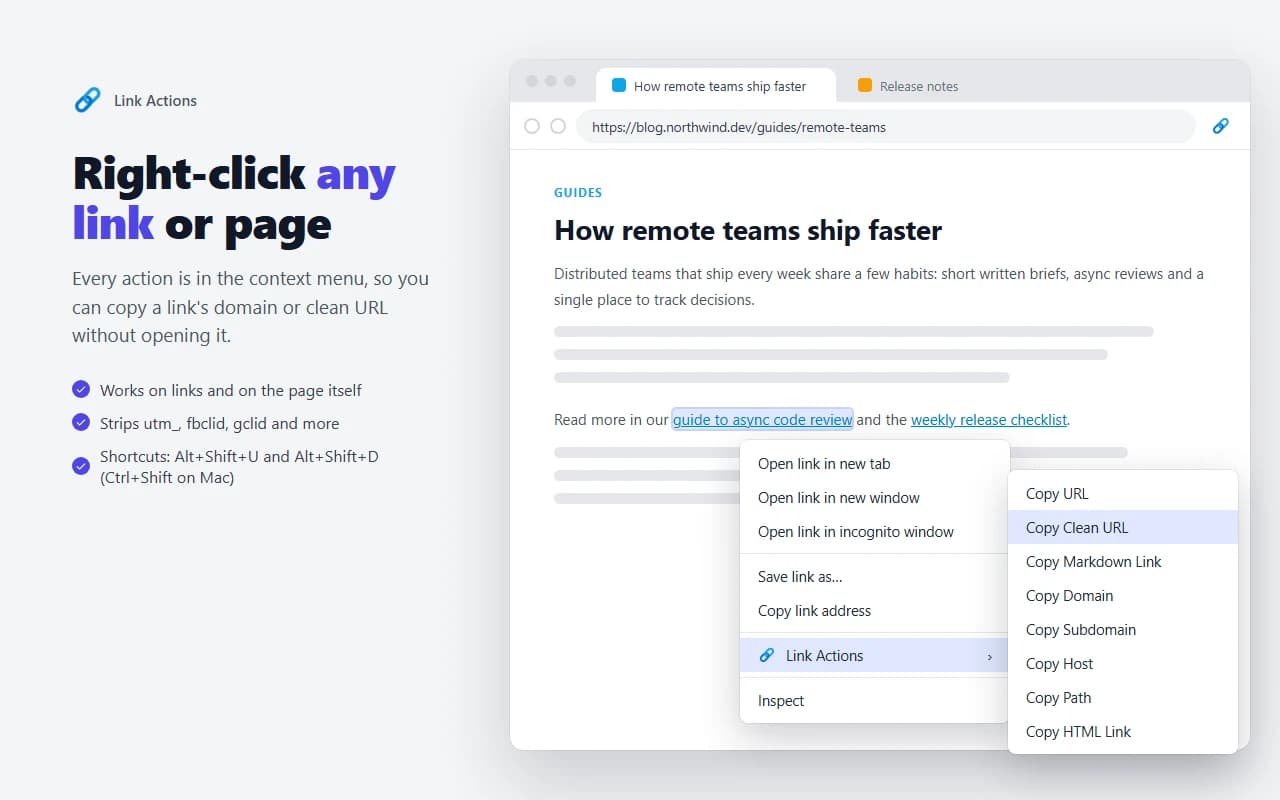
A free Chrome extension that copies a page or link as a clean URL, a Markdown link, its domain, host or path, or a format you define. From the toolbar, the right-click menu or a keyboard shortcut.
Free · No account · No tracking
Available on
Features
What Link Actions does
Keyboard shortcutsAltShiftUCopy the page URLAltShiftDCopy the page domainOn a Mac, use Control instead of Alt.
Screenshots
Inside Link Actions
Is Link Actions free?
Yes, completely. There are no ads and no account.
Does it collect any data?
No. It reads a page's address only when you use it, and never sends anything to us. Your settings sync through your Chrome profile.
Can I change the shortcuts?
Yes. Open chrome://extensions/shortcuts to change them or to add shortcuts for the subdomain, host and path.
Can I hide actions I don't use?
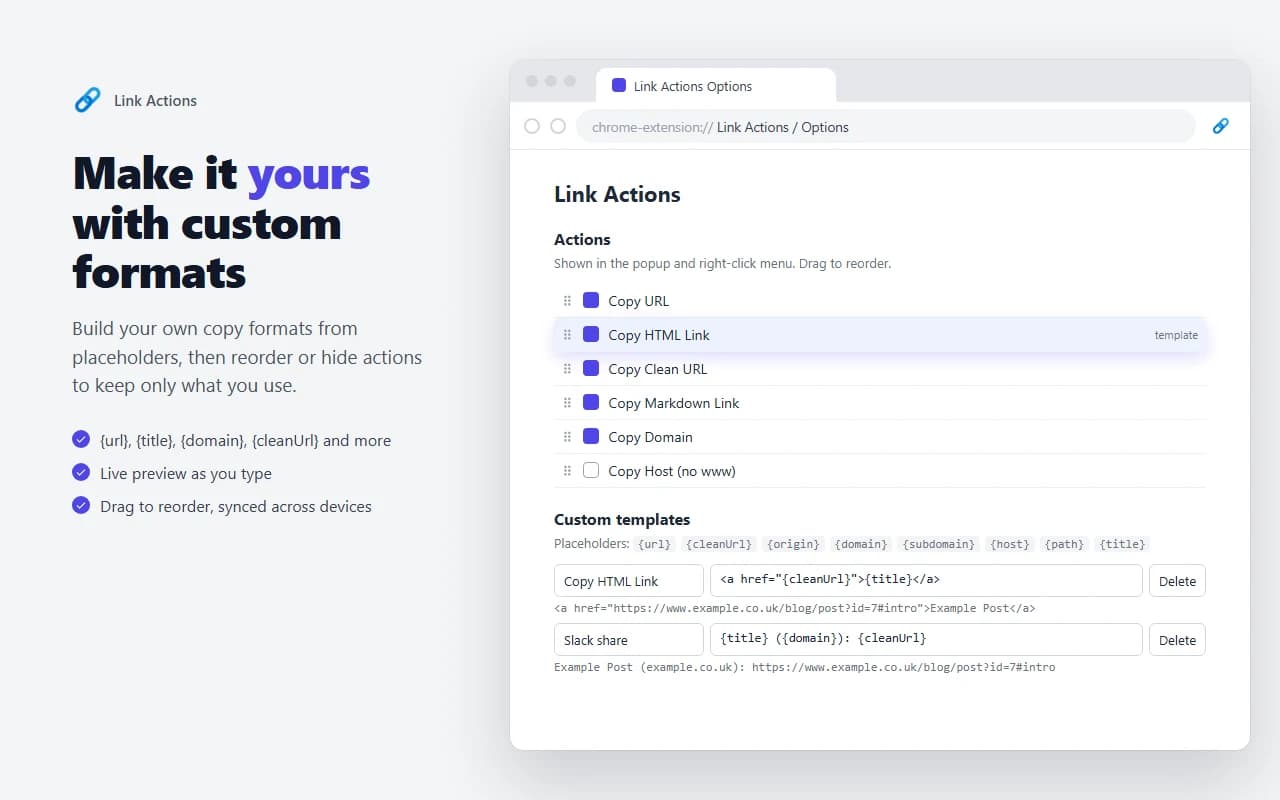
Yes. In Options you can switch actions off and drag the rest into the order you want.